 KitDesk
Termly and annual audits: what the records actually have to show
A stock-take isn't just counting kit. Presence, location and condition are three separate facts, and KitDesk only ties two of them to the same scan.
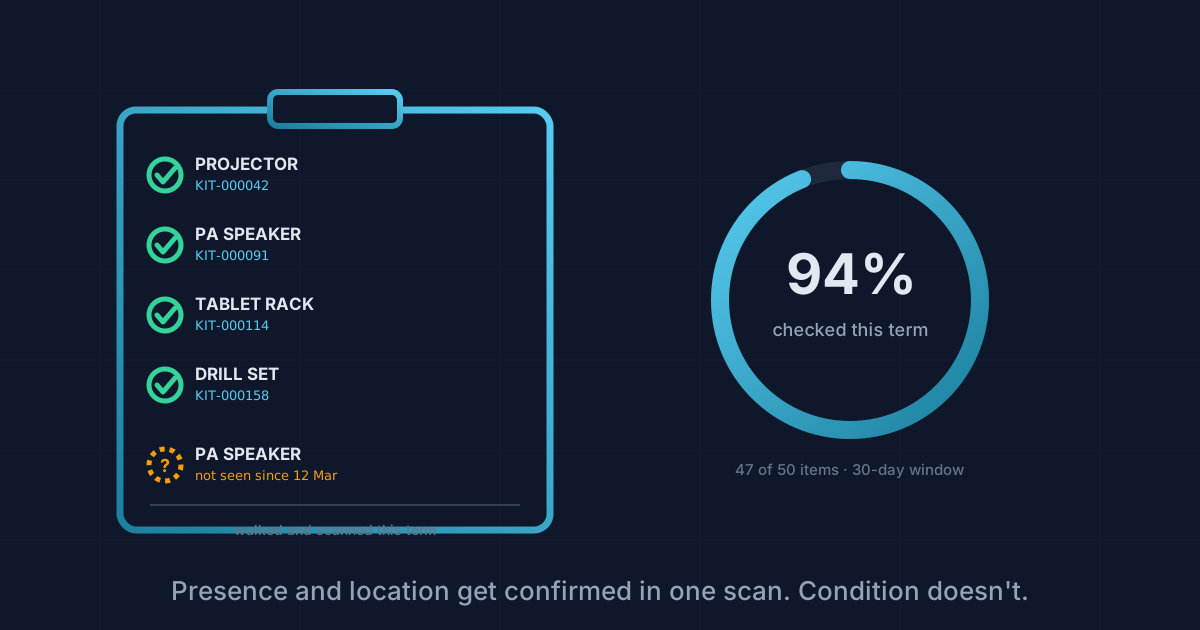
Someone asks for "the audit" once a term, sometimes once a year. What they actually want is proof of three separate things: that the kit is still there, that it's where the register says, and that it isn't quietly falling apart. A spreadsheet answers none of that on its own. Somebody has to have walked round and looked.
We went through the actual audit tooling in KitDesk rather than describe it from memory, because "we track condition" is the kind of line that's easy to say and easy to leave half true.
What a stock-take walk actually records
The audit screen is built for one job: walking the building with a tablet and confirming each thing is physically where the system thinks it is. Scan the QR tag or tap "Seen it" against an item on the list, and the system stamps lastSeenAt with the current time and records who did the looking. If you type in where you're standing first, that becomes the item's currentLocation too, so a drill that drifted from the DT store to the sports hall gets corrected the moment someone notices, not months later when a teacher goes looking for it.
That's presence and location, confirmed in one scan. Condition is a separate story, and it's worth being exact about the gap rather than rounding it off.
Condition doesn't travel with the scan
The item record has a condition field, good, fair or damaged, plus a free-text notes box for anything more specific. Both exist. The audit screen just doesn't ask about either one. Scan a tag or tap "Seen it" and the request that goes to the server carries a timestamp and, if you typed one, a location. Nothing about condition rides along, even though the API underneath happily accepts it.
So walking a row of shelves and ticking off twenty items as seen tells you twenty things are present. It tells you nothing about whether one of them has a cracked case or a lead hanging by two strands. Recording that still means stopping, opening the item's own edit screen, and setting the condition by hand, a second action for anyone who actually spots something wrong mid-walk. On a busy afternoon, that second step is exactly the one that gets skipped, and it's the one that matters most when something's damaged.
The window that decides what "checked" means
Below the scan button sits a setting most people will click past: how many days count as recently checked. Seven, thirty, ninety, or a year. Anything seen within that window shows as done. Anything older, or never seen at all, lands on the "still to check" list along with where it's supposed to be and how long since anyone laid eyes on it.
Set that window to a year and a term's audit will look nearly finished before you've picked up a scanner, because last term's sightings still count. Set it to thirty days and a smaller organisation running one audit a term will watch the unseen count climb every week between visits, which is honest but can look alarming if nobody explains why. There's no right answer here, only a number that matches how often you actually intend to walk the building, chosen on purpose rather than left on whatever it defaulted to.
Where the compliance dates sit
PAT test and service dates live on the item too: when it was last tested, when the next one's due, plus a note field people use for things like "tested by Simmons Electrical." We've written before about what the law does and doesn't require here, so this isn't a repeat of that. What matters for an audit specifically is that KitDesk checks these dates itself. An item whose PAT or service date has passed gets blocked at checkout rather than merely flagged, which means the audit isn't the only backstop catching an overdue item. It's a second check on the same fact, not the only one.
There's a dashboard widget that lists what's overdue or due soon, and it only shows up if the organisation has turned compliance tracking on in the first place. Worth confirming that toggle is set before assuming the feature's watching anything.
What you can actually hand someone afterwards
This is where it gets uneven. The inventory itself exports to CSV: reference, name, category, quantity, value, hire rate, location, status, condition, serial number, notes. Straightforward, and it's the file you'd hand a governor asking "what do you own and what's it worth."
It does not include the PAT or service dates, and it does not include when an item was last physically seen. Those two facts, probably the two an auditor cares about most, live only in the app itself: the compliance widget for one, the audit screen's seen/unseen split for the other. And the audit screen has no export or print button at all. Reports has both, a CSV download and a print stylesheet built specifically for handing someone a page. Audit has neither. If a governor or an insurer wants to see "here's our last stock-take, ninety-four percent checked, these six weren't found," the honest answer today is a screenshot, not a report.
None of that makes the underlying records bad. Every scan writes an event: who saw what, where, and when, alongside every checkout, return and damage report against that item. That trail exists in the database from the day an item's added. It's just that nobody built a screen to read it back for a single item the way there is for a borrower's history, and nothing turns a completed walkaround into a document you can leave in a filing cabinet.
If you're setting up your first proper audit cycle: pick a checked-within window that matches how often you'll genuinely walk the building, not the default. Treat "seen" and "condition confirmed" as two different jobs, because right now the software does too. And keep whatever you show a governor as a screenshot or a saved export from the day you took it, because the running total updates itself the moment the next scan comes in.
Tracking equipment the hard way?
KitDesk does the boring part: labels, bookings, reminders and a list of what never came back.
Try the demo