 KitDesk
QR check-in and check-out: what it actually saves over a paper sheet
A camera and a printed tag do not stop kit going missing by themselves. Here is what changes, what does not, and where the paper sheet was never the real problem.
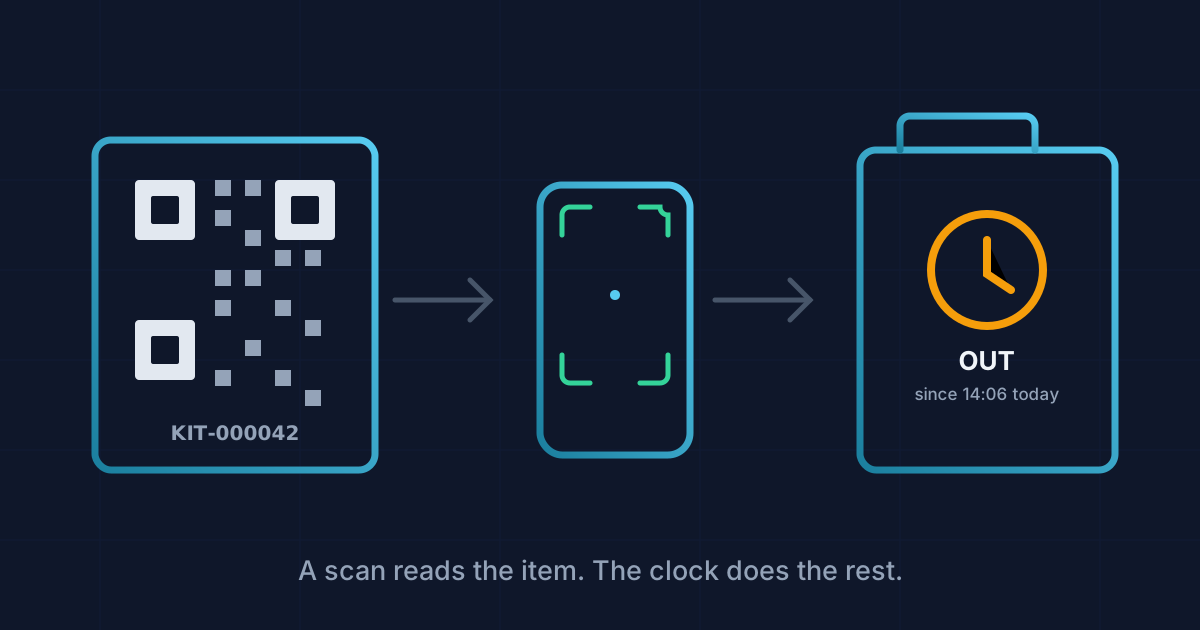
Ask someone why they want QR scanning and the answer is usually "it's faster than writing it down." That is true, but it is not the interesting bit. Writing "Canon 80D, out, Dave, 2pm-ish" on a clipboard takes about the same four seconds as scanning a tag. The time gets saved somewhere else entirely, and it is worth being precise about where, because the honest case for camera-based sign-out is not speed at the cupboard door.
What the paper sheet actually costs you
A clipboard has three real problems, and none of them show up at the moment someone signs an item out.
The first is transcription. Somebody, eventually, has to turn forty rows of handwriting into something you can search, and that job either happens (badly, on a Friday, by whoever drew the short straw) or it does not happen at all, which is the more common outcome. Most paper logs we have seen are accurate for about the first fortnight.
The second is that a name and a rough item description are not the same as a reference. "The good projector" means something different to three different people, and "back about 4" is not a time you can be overdue against. There is nothing to check the entry means what the person meant.
The third is that the sheet only tells you what happened, not what is true right now. You cannot look at a clipboard and know, at a glance, which of your forty items are actually sitting on the shelf.
What KitDesk's kiosk mode does instead
KitDesk has a walk-up mode built for exactly the cupboard-door scenario, separate from the normal booking screen. It is a per-account setting, so it is not switched on for every deployment, but where it is, a tablet by the store sits on a PIN-entry screen rather than a login form. Whoever is taking something out taps in a four-to-eight digit PIN, no email address involved, which matters when the person at the cupboard is a fifteen-year-old with no login of their own and no reason to have one.
From there, the scan itself works one of three ways: the tablet's camera reads a QR tag, someone types the reference by hand, or a barcode gun does the typing for them, since a barcode scanner is really just a keyboard as far as the browser is concerned. The camera path uses the browser's own barcode reader on Android Chrome, and falls back to decoding video frames in JavaScript on iPhones and desktop Firefox, because Apple has never shipped that particular browser API. Either way it needs a secure connection to work at all; a camera will not activate over plain HTTP.
Every item gets a QR code generated from its reference and printed on a label sheet, so setup is one afternoon with a laser printer rather than an ongoing task.
Once something is scanned, the system already knows what state that item is in and offers the one action that makes sense. An available item gets a "take it out" screen: where it is going, and how long for, picked from a short list rather than typed freehand. An item that is already out gets a "bring it back" screen, with a second, separate button for "back, but damaged" — and picking that one moves the item straight to maintenance status rather than leaving it sitting on the shelf as if nothing happened. There is no midway option where the system shrugs and asks you to type a note; it decides the input matters enough to force a choice.
Where the actual saving is
The saving is not in the four seconds at the door. It is that the record already exists in the shape you will need it later. Nobody re-types a name off a clipboard into a spreadsheet in October because someone finally asked "who had the PA system in March." Every checkout and return writes a timestamped event against that specific item the moment it happens, so a history that used to mean flipping through a ring binder is now a filtered list.
It also closes a gap paper cannot: overdue items get flagged automatically against the time the borrower actually agreed to, rather than "back about 4" being unenforceable by definition. And because the tablet queues actions locally when the wifi in the sports hall drops out and syncs them once it reconnects, it does not lose that accuracy the moment the connection does, which used to be paper's one genuine advantage.
What it does not do
Two things worth being straight about. First, this walk-up flow checks whether the item is physically available right now, not whether someone else has it reserved for later today. It is a different path from booking something in advance through the main app, which is the one booking approvals actually gates. A tablet at the cupboard door will happily hand a drill to whoever scans it first, even if it is due out to someone else at 3pm, because that reservation has not touched the item's physical status yet. If double-booking a specific slot matters to you, the fix is making sure people book ahead rather than relying on the kiosk to referee it.
Second, none of this replaces someone actually caring whether the kit comes back. It replaces the argument about who signed for what, and the hour spent working it out after the fact. If your problem is genuinely that things vanish and nobody follows up, that is closer to what we wrote about in stop losing equipment than anything a scanner fixes on its own.
A clipboard is not a bad idea. It is just a system with no memory once the page fills up. A camera and a printed tag do not make anyone more honest. They just mean the record survives long enough to be useful.
Tracking equipment the hard way?
KitDesk does the boring part: labels, bookings, reminders and a list of what never came back.
Try the demo